
Appearance
Platform Overview
A quick tour of the Sealbound dashboard and navigation.
Dashboard
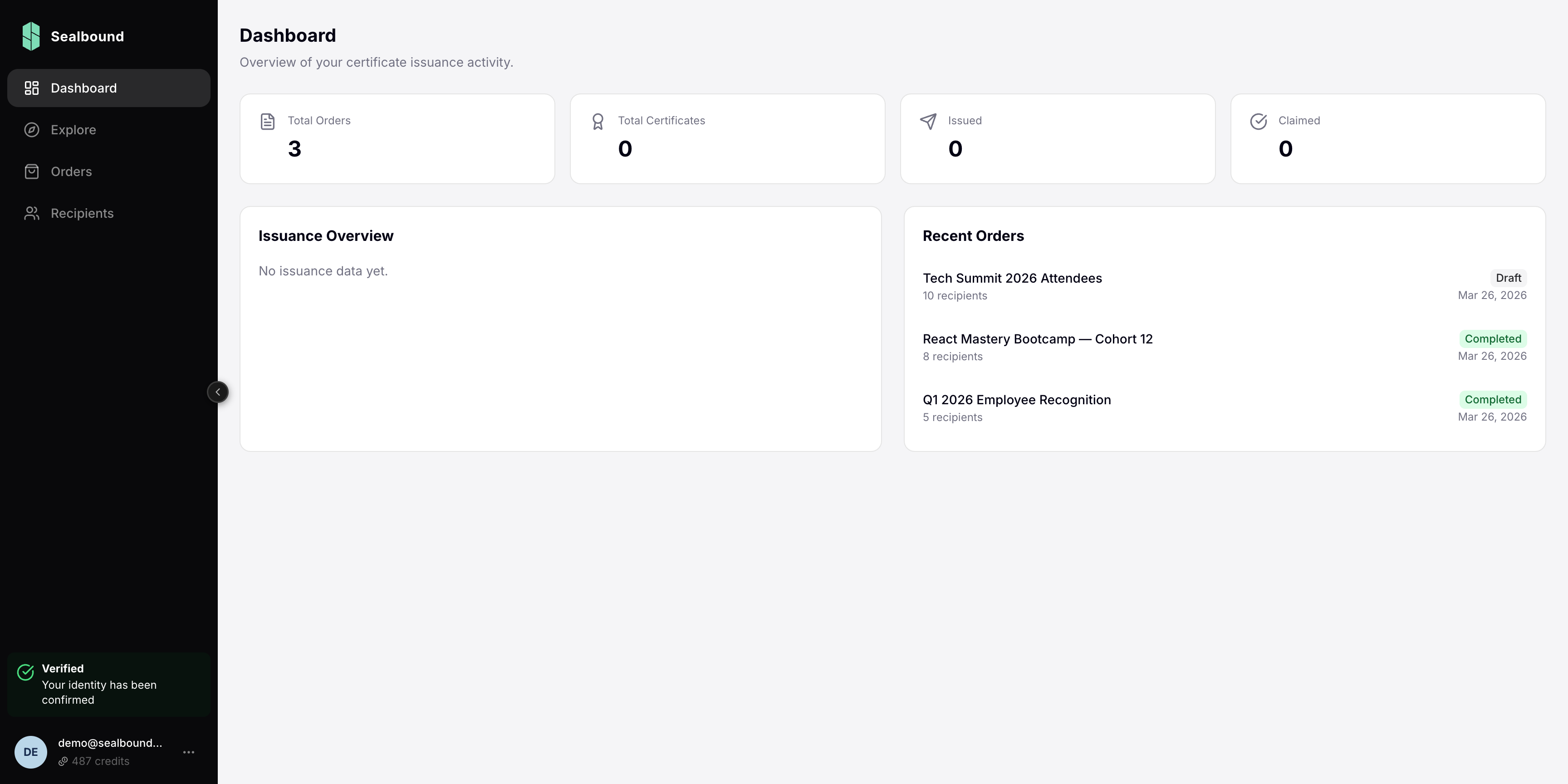
The dashboard is your home screen. It provides a quick overview of:
- Recent activity — your latest orders and certificate issuances
- Key metrics — total certificates issued, active orders, and credit balance
- Quick actions — shortcuts to create orders and manage templates
Navigation
The sidebar on the left gives you access to all major sections:
- Dashboard — your home screen with activity overview
- Explore — browse public certificate templates created by the community
- Orders — create and manage your certificate orders
- Recipients — view and manage all your certificate recipients
- Settings — manage your profile, company details, and account preferences
Credits Balance
Your current credit balance is displayed at the bottom of the sidebar, next to your email. Click it to open Settings, where the Balance tab shows your balance, the price per credit, and your transaction history. Top-ups are arranged through support — see Purchasing Credits.
Settings
Access your account settings from the sidebar to:
- Update your profile information
- Manage company details
- View account preferences
Next Steps
Ready to issue certificates? Follow our step-by-step guide to create your first certificate.