
Appearance
Managing Groups
Groups help you organize recipients within an order. Each group has its own certificate template, allowing you to issue different certificate designs in a single order.
Creating a Group
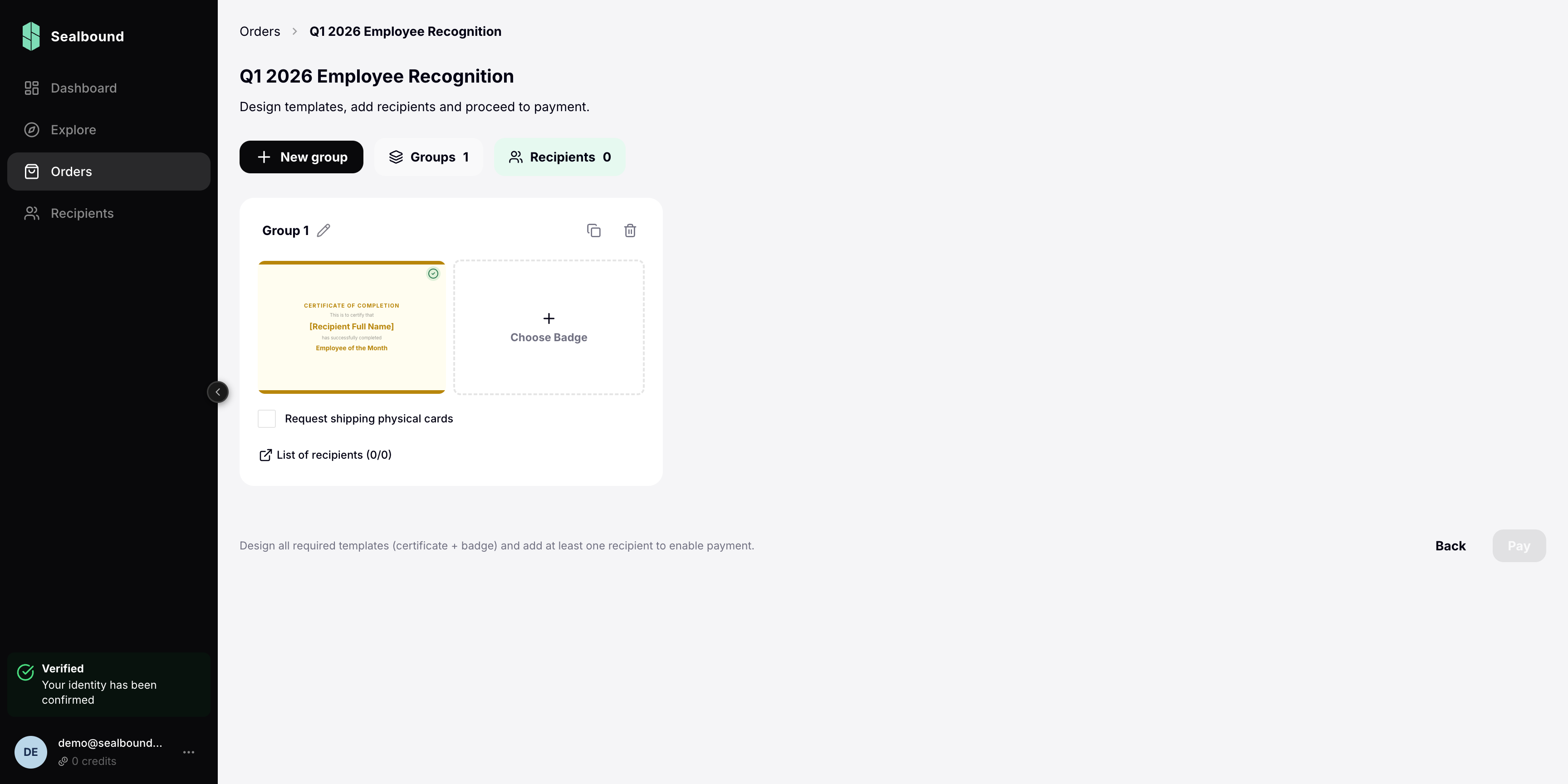
- Open an existing order (or create a new one)
- Click Add Group
- Enter a group name
- Select a certificate template for this group
Why Use Groups?
Groups give you flexibility when issuing certificates. Common use cases:
- Different roles — speakers get a different certificate than attendees
- Different levels — gold, silver, and bronze achievement tiers
- Different departments — each department receives a uniquely branded certificate
Managing Group Recipients
Each group has its own set of recipients. You can:
- Add recipients manually or via CSV import
- Move recipients between groups (within the same order)
- Remove recipients before the order is issued
Group Status
Groups follow the same status progression as their parent order. When the order moves to "Issuing", all groups within it are processed.