
Appearance
Order Statuses
Every order moves through a series of statuses as it progresses from creation to completion.
Status Overview
| Status | Description |
|---|---|
| Draft | The order has been created but not yet submitted. You can still edit groups, recipients, and templates. |
| Paid | Credits have been deducted in full. The order is queued for certificate generation. |
| Issuing | Certificates are being generated and sent to recipients. |
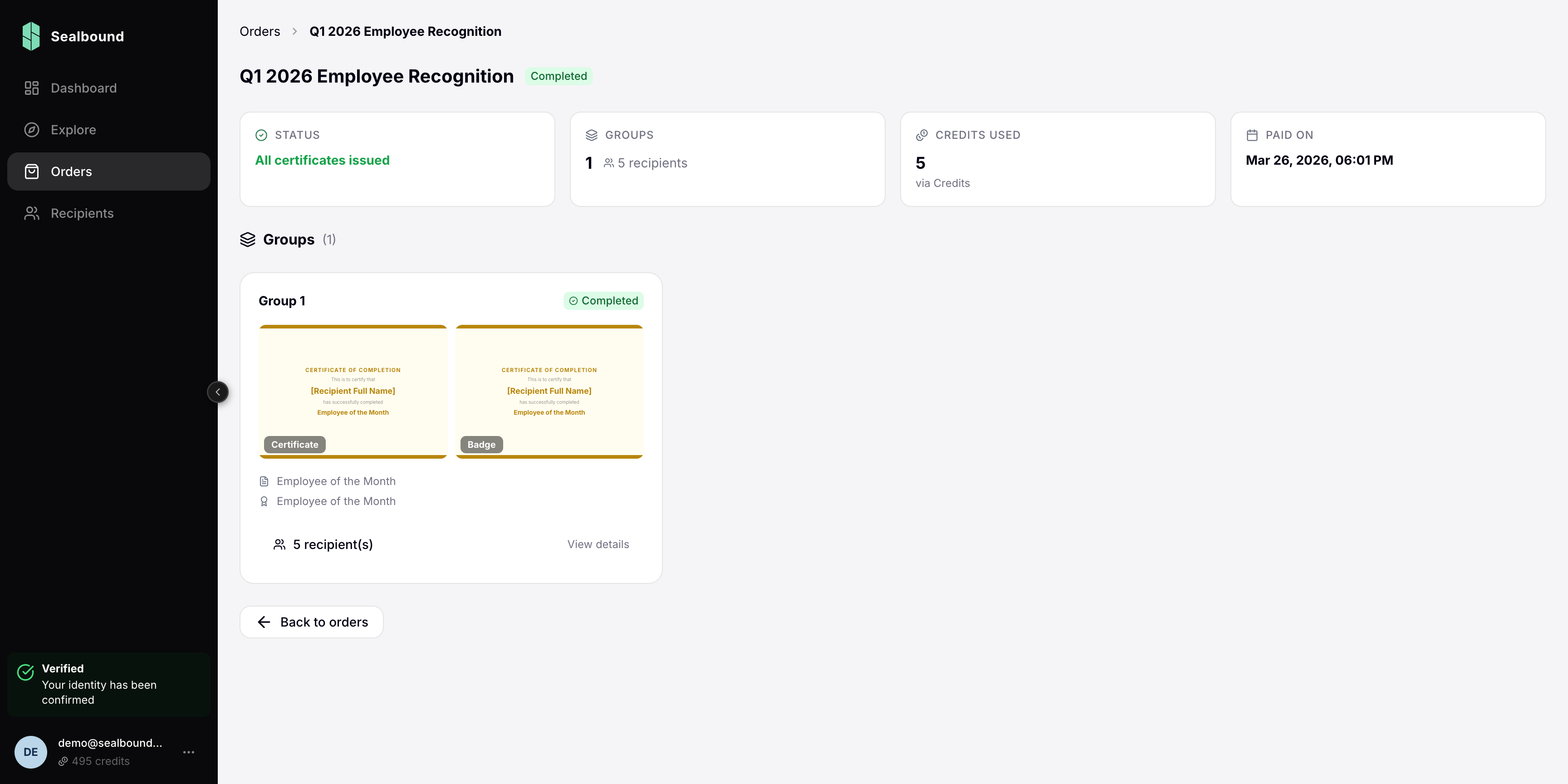
| Completed | All certificates have been issued and delivered. |
| Failed | One or more certificates could not be issued. You can retry the failed recipients from the order page. |
What You Can Do at Each Stage
Draft
- Edit order details
- Add, remove, or modify groups
- Add or remove recipients
- Change certificate templates
Paid
- View order details — groups and templates are locked
- Add recipients to a group; each one is charged and issued immediately
- Create or revoke invitation links (revoking returns the unused credits)
Issuing
- Monitor progress as certificates are generated
- View which recipients have been processed
Failed
- Review which recipients failed and why
- Retry the failed recipients without paying again
Completed
- View all issued certificates
- Track recipient claim status
- Download certificate records